π οΈClaiming Guide
To claim your base you are going to need a Claiming Tool one is always available to you with /kit claim. When holding the tool, you will be shown how many claim blocks you have in the chat. If you need more claim blocks you can get them via the following:
Every 30 seconds you will receive 1 claim block
Every /vote will give you 100 claim blocks
You can buy claim blocks in the Vote Shop
You can get claim blocks in the Ultra Crate
You can get claim blocks from Rank purchases as well as Rank /kits
Creating a Claim
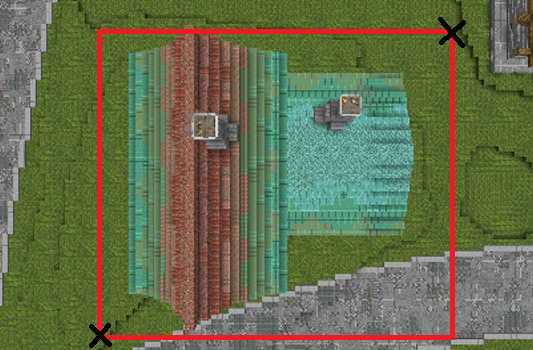
To claim an area, you must right-click the two opposite corners of the area you would like to claim. The minimum claim size is 100 blocks, so make sure the area you are claiming is at least 10x10 in size. Once you create your claim, there will be golden particles in each corner of the claim. If you see these, then congrats, your base is now safe!

Creating a Subclaim
Subclaims are claims within a claim, they will have their own permissions that override the parent claim they are in. To create a subclaim you must first run /flan switchMode SUBCLAIM. Then simply follow the same process you used to create a normal claim.
Using the Flan Menu
The Flan Menu /flan menu allows you to add players to your claim, as well as edit unique permissions.
Global Permissions
Global Permissions can be thought of as general rules in your claim, anything you set to true or false will allow ANY player that enters your claim to perform those actions.

Permission Groups
Permission Groups are specific groups that you can place players into. These groups come with the following preset permissions.
Visitor - Allows access into the claim at all times.
Builder - Allows Place & Break permissions in the claim.
Manager - Allows full access to the claim and all permissions inside.
To add someone to one of these groups first run /flan menu and click the writable book labeled "Edit Permission groups". Next click on the group you would like to add someone to (e.g "Manager"). Then click the anvil at the top of the menu, and type the exact name of the player you would like to add to the group.
/flan menu
Opens the Flan Menu
/trust <name>
Gives the specified player "Builder" status in the claim you are standing in
/untrust <name>
Removes the specified player from the claim you are standing in
/flan switchMode <default/subclaim>
Changes your claiming tool to the specified claim mode
/abandonclaim
Deletes the claim you are standing in
/abandonallclaims
Deletes all of your claims
/flan list
Lists the coordinates of all of you claims
Last updated